


The Sigma-MT Suite is available now for new VIP Cycle Analysts (founding members). Please contact me (on X or Substack chat) once you have joined or upgraded from standard membership to receive the software.
Prerequisites: the quick start and the spectrogram guide. You should be comfortable reading a spectrogram, recognising a persistent band and understanding the bandpass origin.
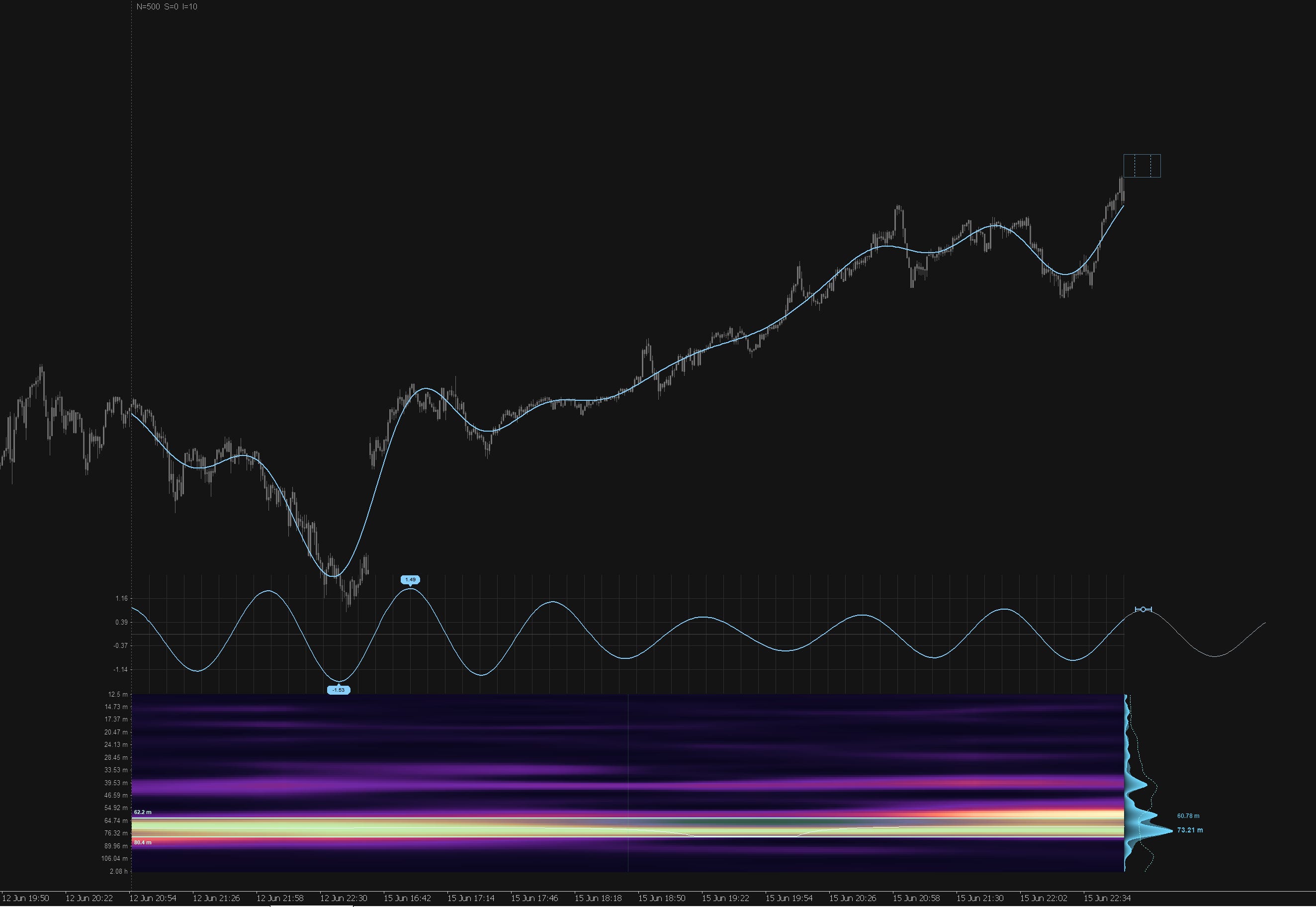
The spectrogram guide showed you how to read power, but it left one question open: how does the engine itself decide that a particular band is worth your attention, rather than a passing flare of noise? That decision is the whole game. A projection is only as trustworthy as the detection beneath it, so this guide opens the bonnet (somewhat!) on detection, explains the score that grades it, and hands you the manual controls for when you want to override the engine’s choice.
Why a threshold has to adapt
Let’s begin with the naïve approach: The obvious way to call a peak significant is to set a fixed threshold of power: any frequency whose power rises a certain multiple above the average counts as a real cycle in this approach. This is the signal-to-noise method, and Sigma-MT offers it, although really it is a legacy of testing I thought I would leave in. You set SNRThreshold (default 3.0), the engine measures each frequency against the median power of the spectrum, and any local maximum that clears that ratio is flagged.